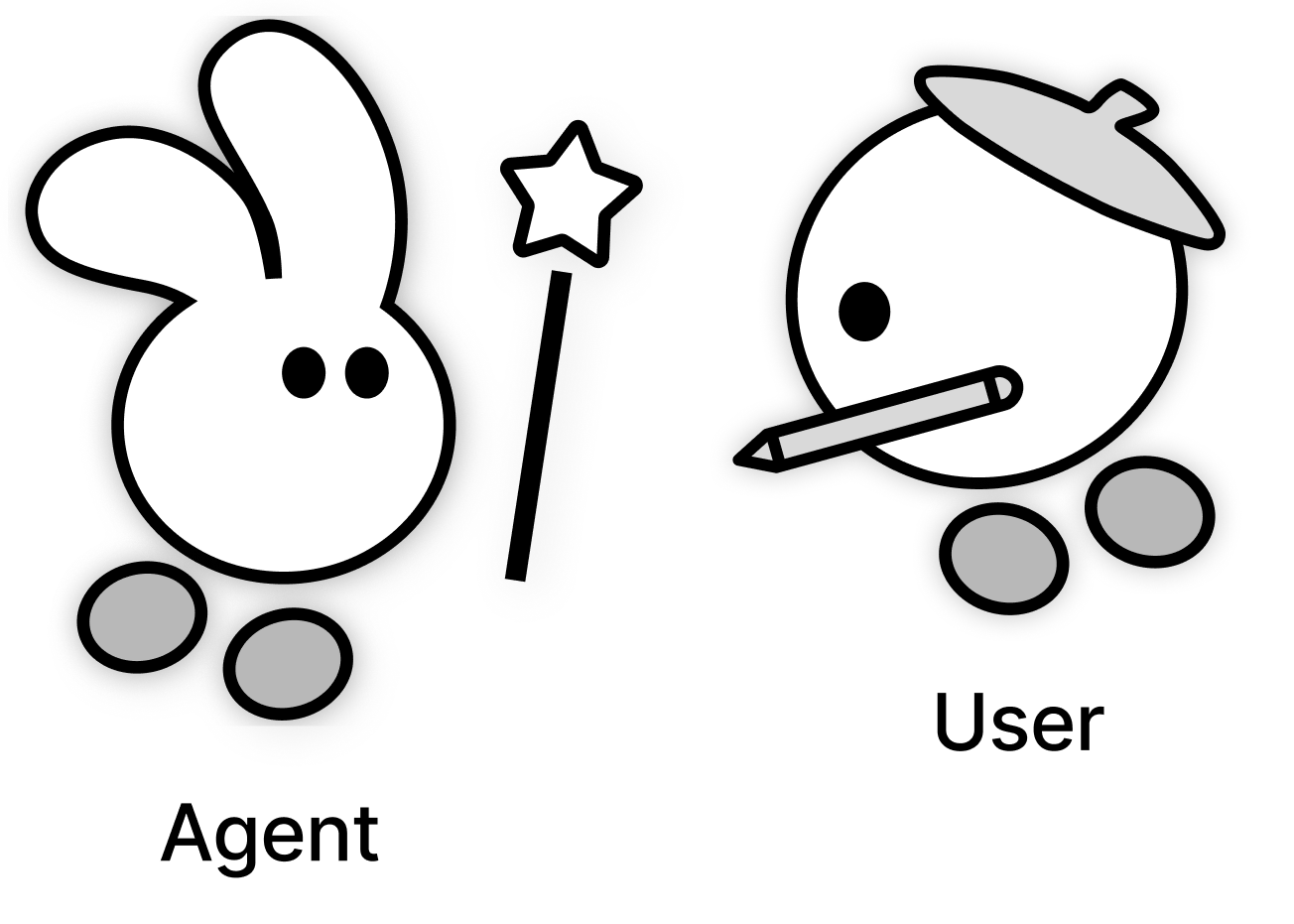





In a shared workspace, people can edit while an agent works. Their edits may change the agent’s next steps, and the agent’s progress may give them new ideas.
How do people decide when to hand off, intervene, or work alongside an agent?
As the agent worked, designers developed new ideas and took on parts of the task themselves.
We built CLEO (Collaborative Linked Executive Operator), a design probe in Figma that tracks user actions and selectively updates its plan. It supports concurrent interaction: users can edit the design, reuse partial results, or finish pending subtasks while CLEO continues working.
We conducted two design probe studies with professional designers: 10 participants in Study 1 and 12 participants over two days in Study 2. We analyzed Study 2’s 255 interaction turns alongside stimulated recall interviews to understand when and why users changed how they participated. Concurrent interaction occurred in 33.73% of turns.
The examples below show how CLEO could respond when you edit its work, complete a pending task, or develop a separate copy.
Examples
workshops.Drawing, prints, and collage.

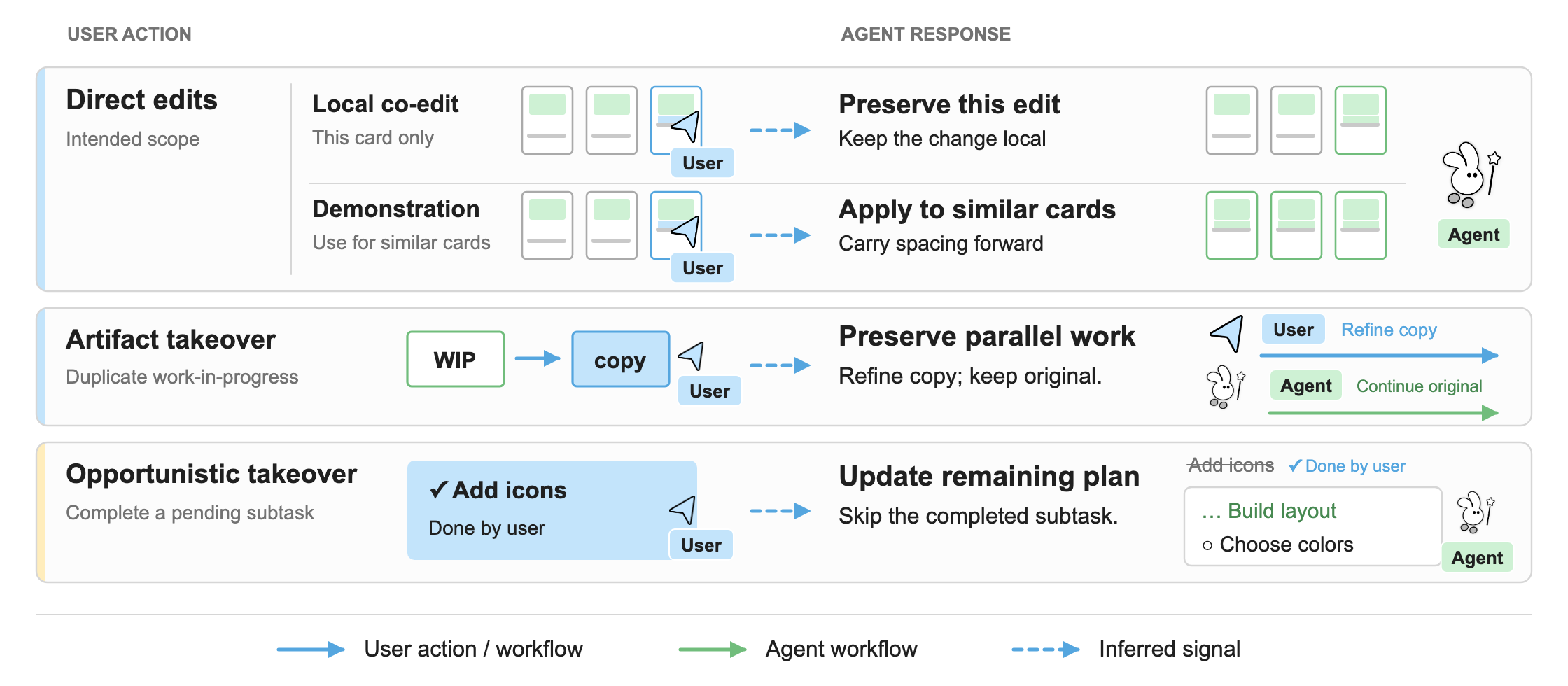
Demonstration-based steering · In this example, the edit is intended for all three cards.
Design implicationsAbstract
Shared co-creative workspaces allow users to contribute while agents execute. Yet how users adjust their participation as their work and the agent’s execution shape one another remains less understood. We conducted two design probe studies with professional designers. In Study 1 (N=10), participants identified opportunities to contribute by observing the agent’s progress, but avoided intervention when the agent misinterpreted their edits. Therefore, we developed CLEO, a second probe that tracks user actions and selectively updates its plan. In Study 2 (N=12), we analyzed 255 interaction turns and stimulated recall interviews, identifying five action categories, ten codes, six triggers, and four enabling factors. Participants engaged in concurrent interaction during 33.73% of turns, expressing newly recognized design ideas or preferences through edits and changing the division of work by completing pending subtasks or independently developing copies of unfinished outputs. We present a decision model and five design implications for concurrent human–agent collaboration.
Findings
From 255 interaction turns and stimulated recall interviews, we identified five action categories and ten codes describing what designers did while CLEO worked. A turn covers the agent’s execution in response to one user request. It can include several action categories as the user changes how they participate.
Five Action Categories
Each percentage is the share of turns in which a category occurred. A turn can include more than one category, so the percentages do not sum to 100%.
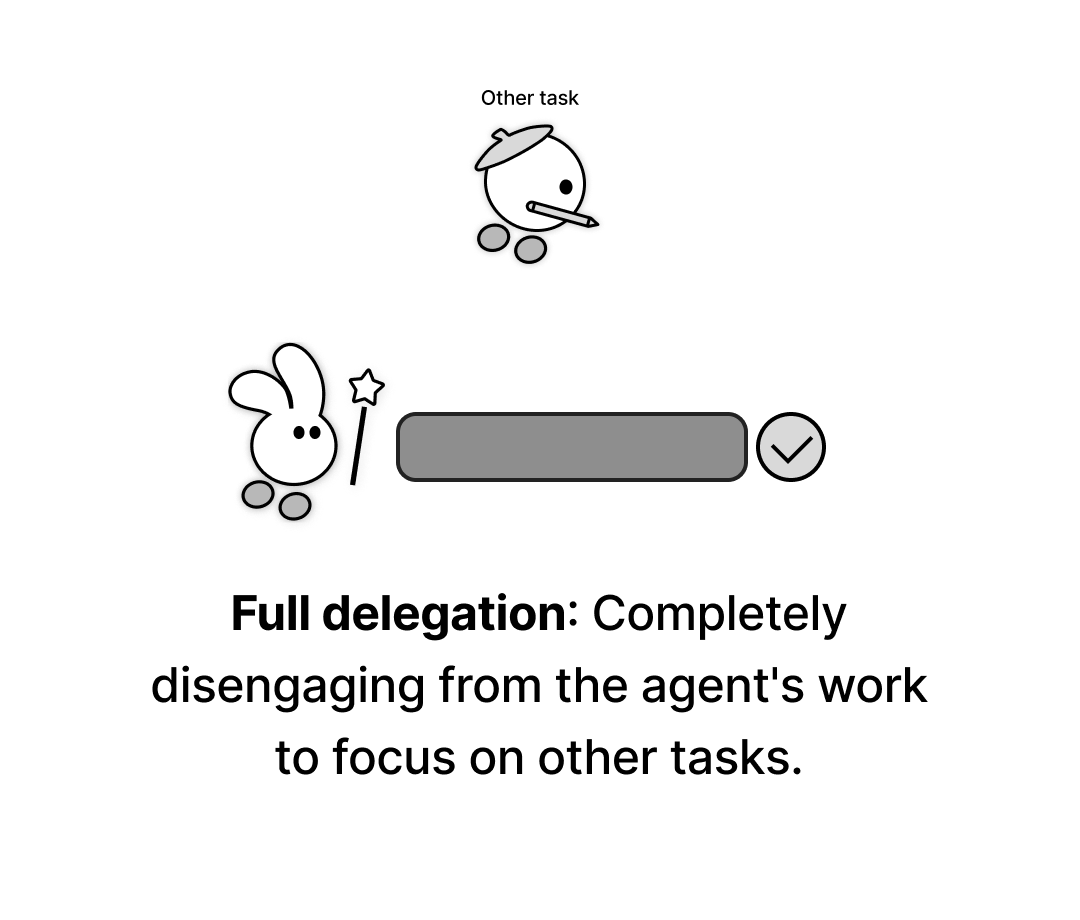
Hands-off
69.41% of turns · Full delegation
The user leaves the agent to work independently and focuses on their own task.
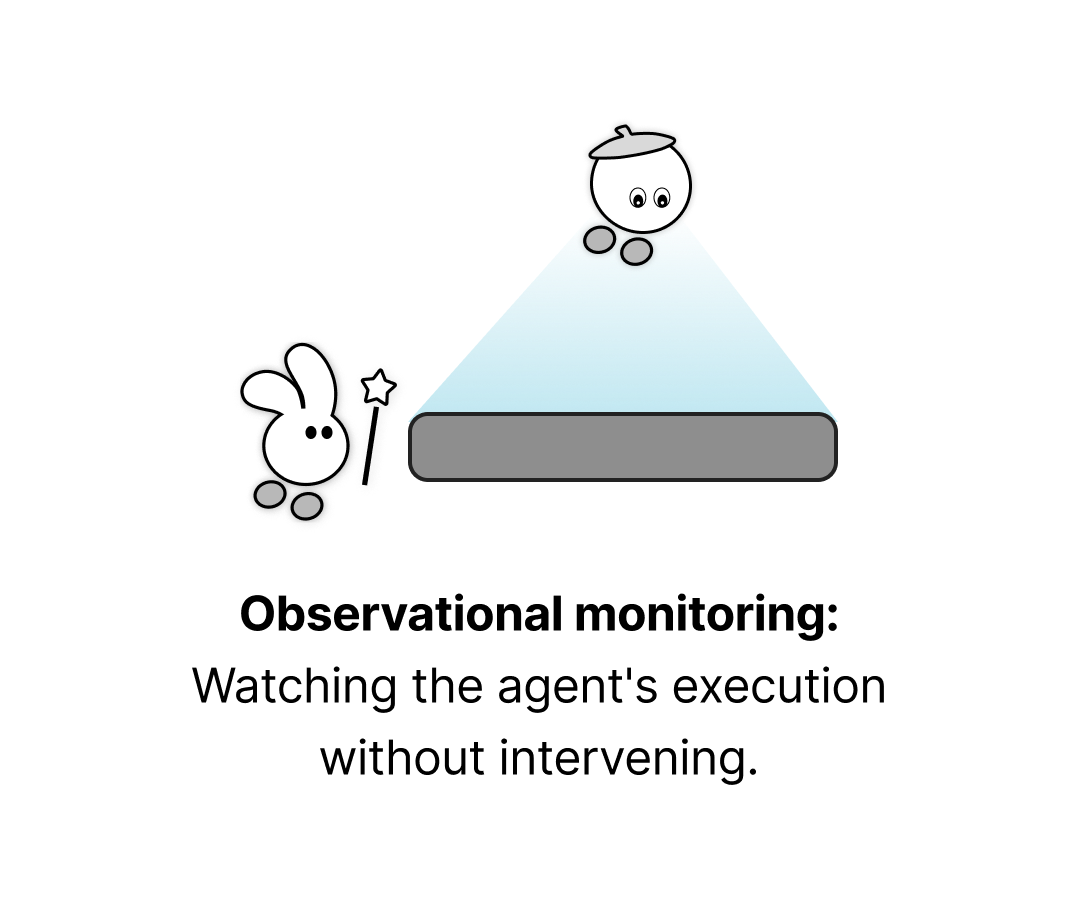
Observational
70.20% of turns · Observational monitoring
The user watches the agent work without intervening, often to understand its approach or decide when to act.
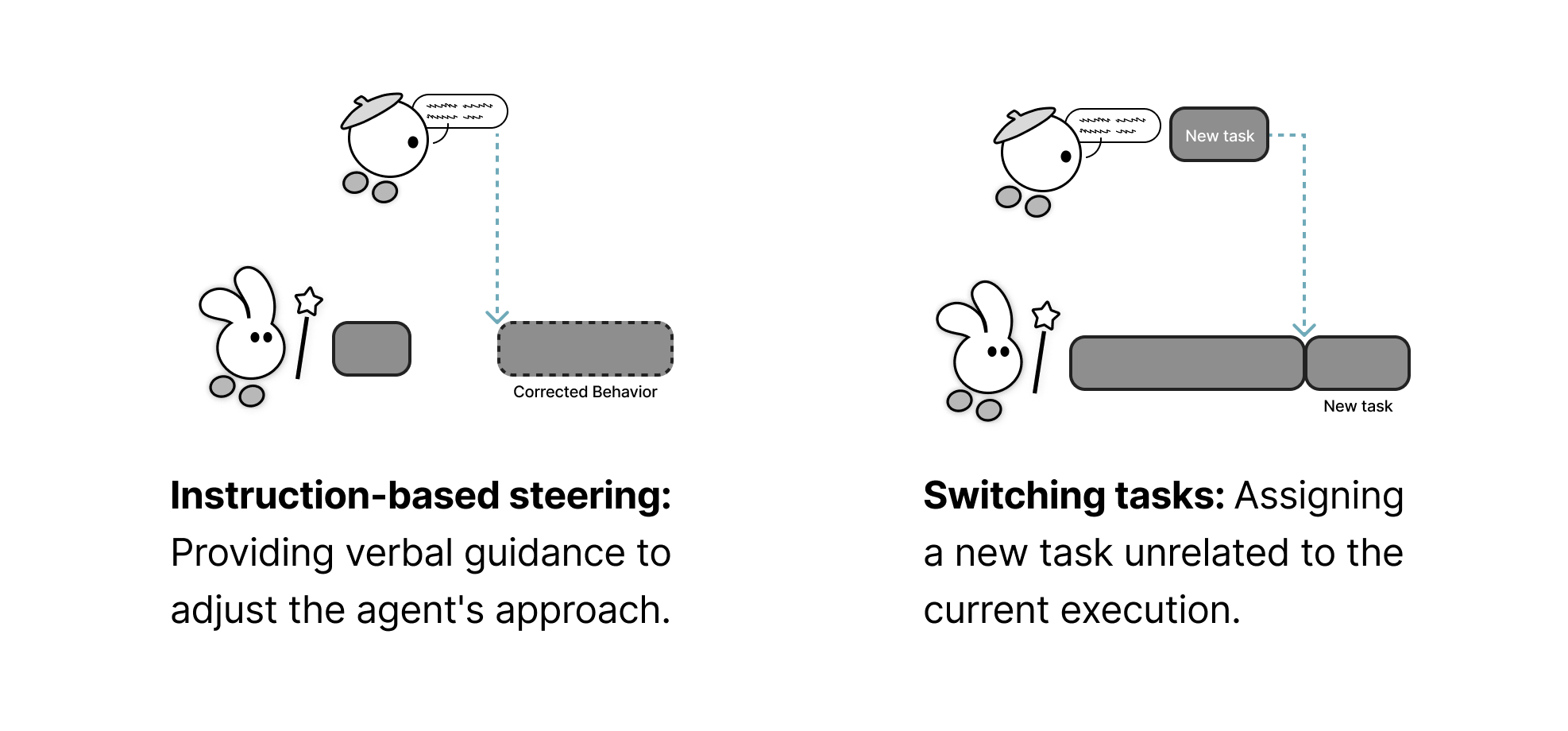
Directive
26.67% of turns · Instruction-based steering; Switching tasks
The user gives verbal instructions while the agent works, either to adjust its approach or assign a different task.
Concurrent
33.73% of turns · Five action codes
The user edits work in progress, completes pending subtasks, reuses partial results, or develops a separate copy while the agent continues working.
Five concurrent action codes
- Intermediate result appropriation: copying and using partial outputs while the agent continues working.
- Artifact takeover: duplicating the agent's work-in-progress to edit independently elsewhere.
- In-situ co-editing: working simultaneously on the same subtask and artifact.
- Opportunistic takeover: completing a pending subtask while the agent handles another.
- Demonstration-based steering: showing desired changes through direct editing.

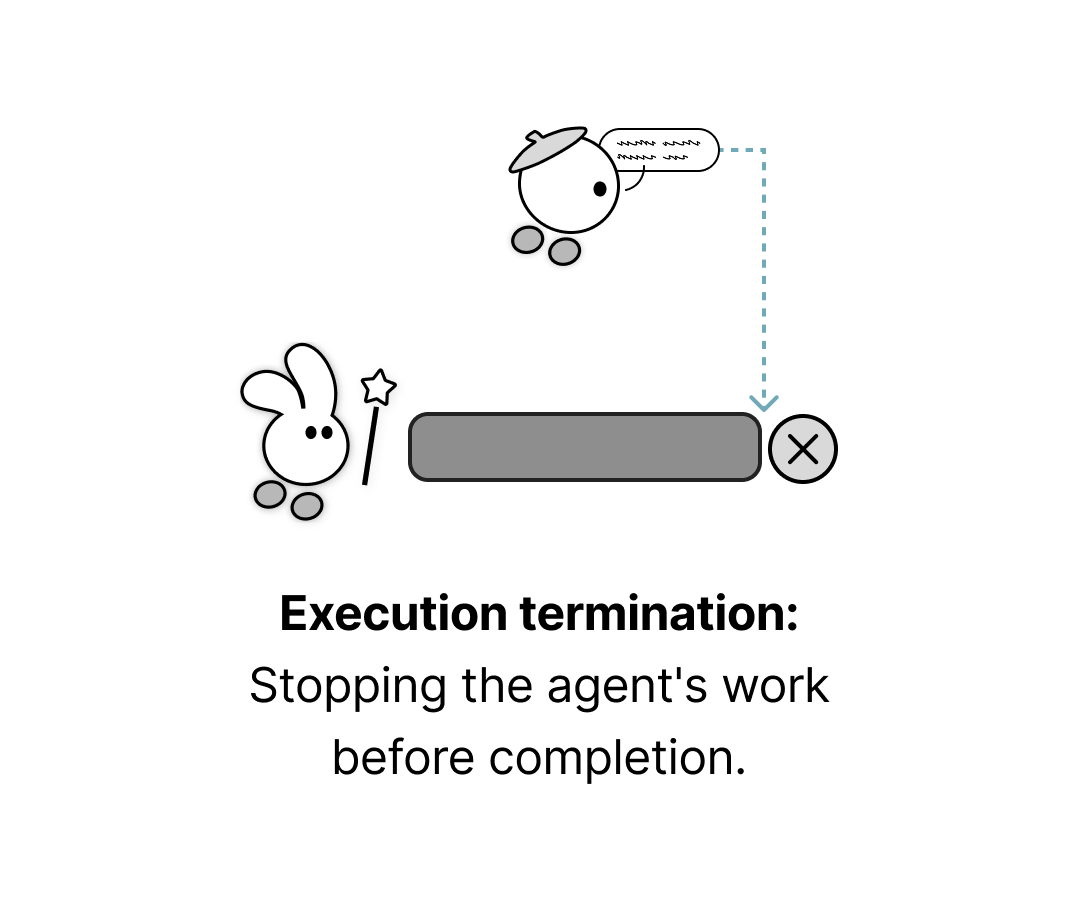
Terminating
7.06% of turns · Execution termination
The user stops the agent before it finishes and takes full control.
What Triggers Intervention?
We identified six triggers that prompted users to move from observation to concurrent, directive, or terminating actions. Users also observed the agent to understand its capabilities and coordinate their own work.
| Trigger | Definition |
|---|---|
| Idea Spark from Agent’s Work-in-Progress | Seeing the agent’s work in progress gives the user an idea they had not considered |
| Need for Early Outcome Visibility | The user needs to see or use a result before the agent finishes, for example to plan their next steps |
| Readiness for Fine-grained Detailing | The work has reached a stage where the user wants to make detailed adjustments themselves |
| Misaligned Task Interpretation | The agent follows a valid interpretation that differs from what the user intended, or the user realizes their request was too vague |
| Execution Quality Drop | The agent becomes too slow or produces results below the quality the user expects |
| Emerging New Task for Agent | While watching the agent, the user identifies a different task or a next step to assign |
What Shapes the Choice of Action?
The same trigger could lead to different actions. We identified four enabling factor categories, comprising eleven codes, that help explain these choices.
| Enabling Factor | Definition |
|---|---|
| Mental Model of Agent’s Task Capability | How well the user understands what the agent can do for the current task |
| Task Importance: User vs. Agent | The importance of the user’s own work compared with the agent’s current task |
| User’s Preferred Intervention Modality | Whether the user prefers to give verbal instructions, edit directly, or is unsure which to use |
| User’s Expectation of Agent’s Response to Intervention | Whether the user expects their instructions or edits to help the agent complete the task |
A Decision Model of Participation
We combined the action categories, triggers, and enabling factors in a decision model with six interaction loops: full delegation, continuous observation, concurrent intervention, directive intervention, no intervention, and task redirection. It describes the implicit decisions behind users’ actions, rather than a sequence they consciously follow.
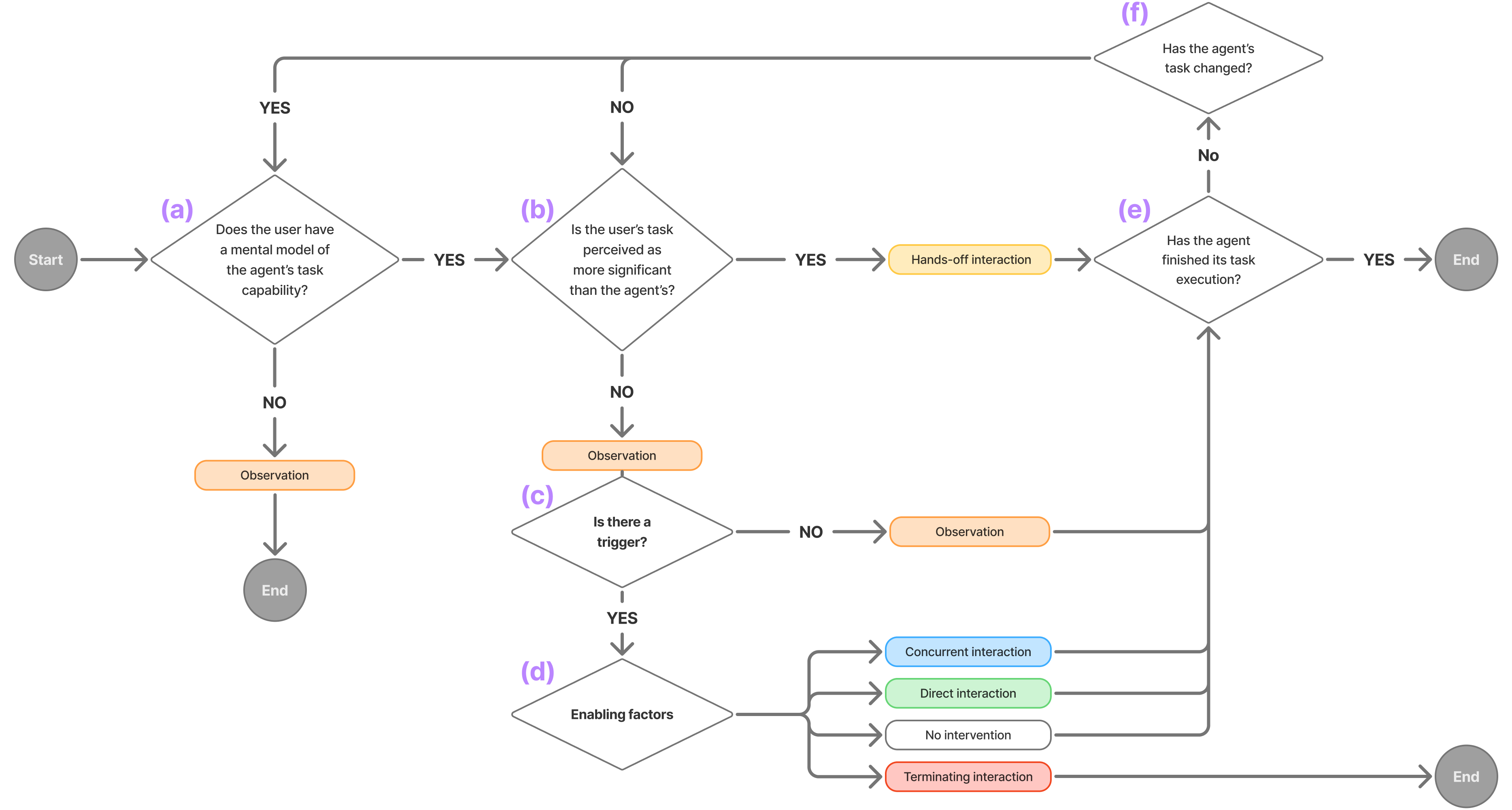
We refined the model by comparing it with all 255 observed turns. It accounts for recurring patterns in this dataset as users’ priorities, understanding of the agent, and opportunities to intervene changed.
Why Concurrent Interaction Matters
Seeing intermediate outputs helped designers identify ideas and preferences they had not considered before. They could show what they wanted by editing directly. An agent then needs to distinguish an edit to that element from a change intended for other elements too.
They completed pending subtasks, reused partial outputs, and worked on separate copies. Agents need to account for completed work and preserve edits to independent copies.
Leaving the agent to work may mean the user has another priority, rather than that they approve of its approach. Agents could use the surrounding task and interaction history to inform how much detail to show, when to offer help, and how to share the work.
Design implications
We propose five ways agents could support concurrent work. The demos below illustrate these proposals; they were not evaluated in our studies.
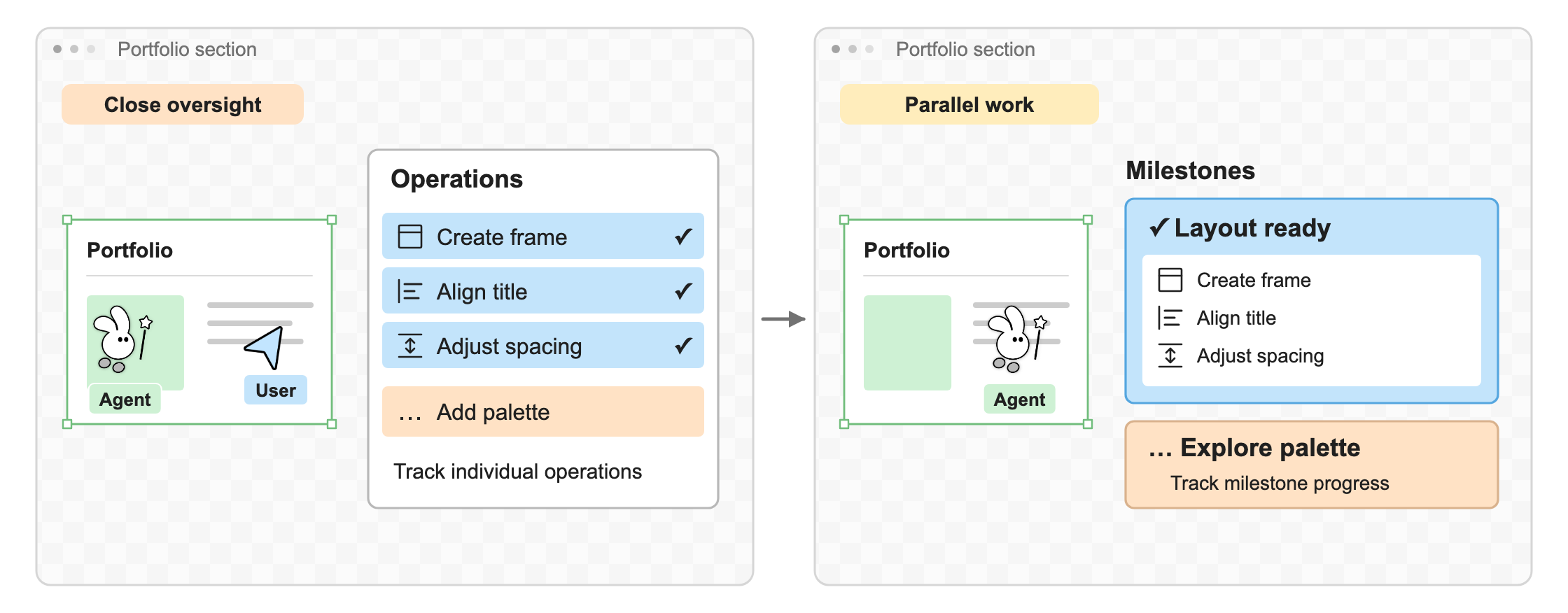
Adjust the detail of progress updates
Follow individual operations for close oversight, or milestones while you work in parallel.
 CLEOAdd palette
Three operations are complete. Adding the palette is next.
Figure from the paper · DI1
Clarify the scope of an edit
A change to one card may be intended just for that card or for others too.
The third card is selected. Spacing changes apply only to this card.
Figure from the paper · DI2
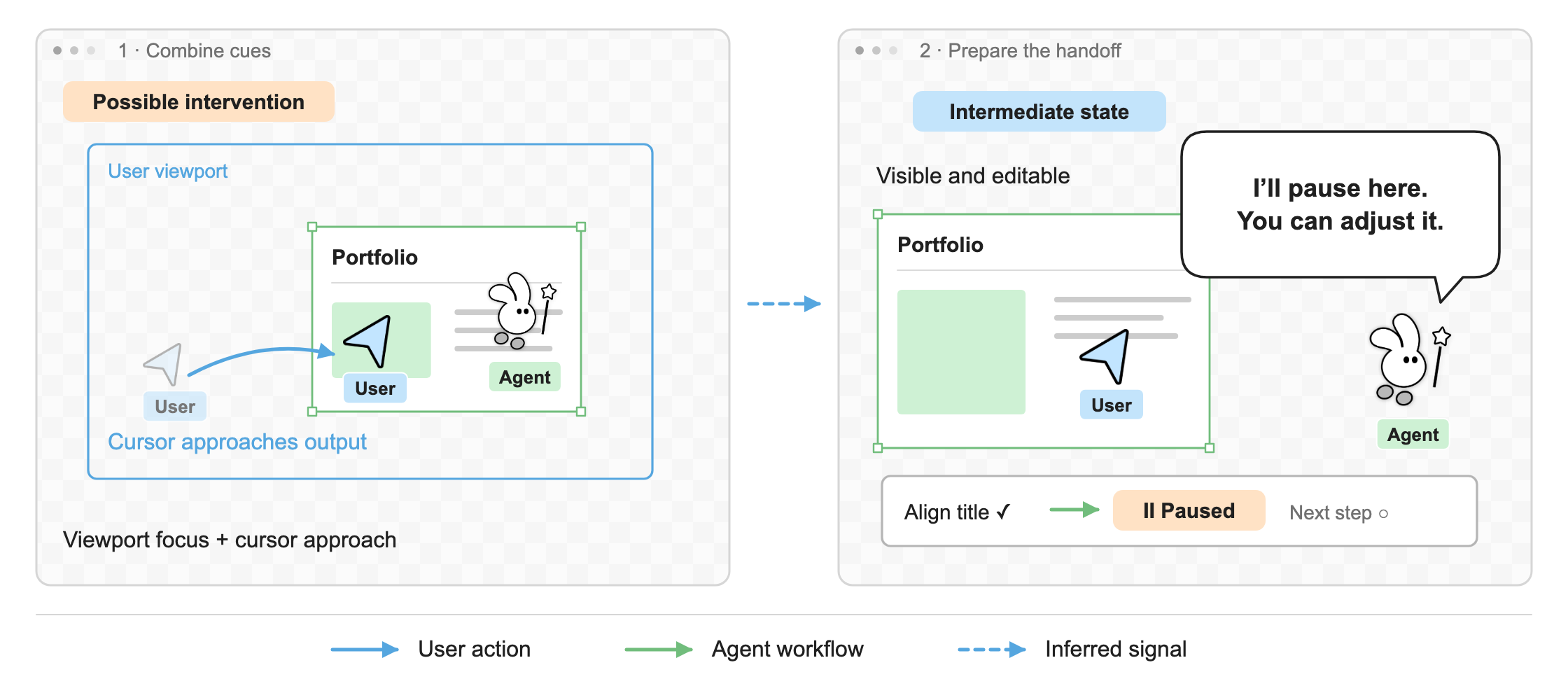
Pause for a possible edit
When the viewport is focused on an element and the cursor moves toward it, the user may be preparing to edit. Either cue on its own can have other explanations.
CLEO is aligning the title. Both cues together can indicate an upcoming edit.
Figure from the paper · DI3
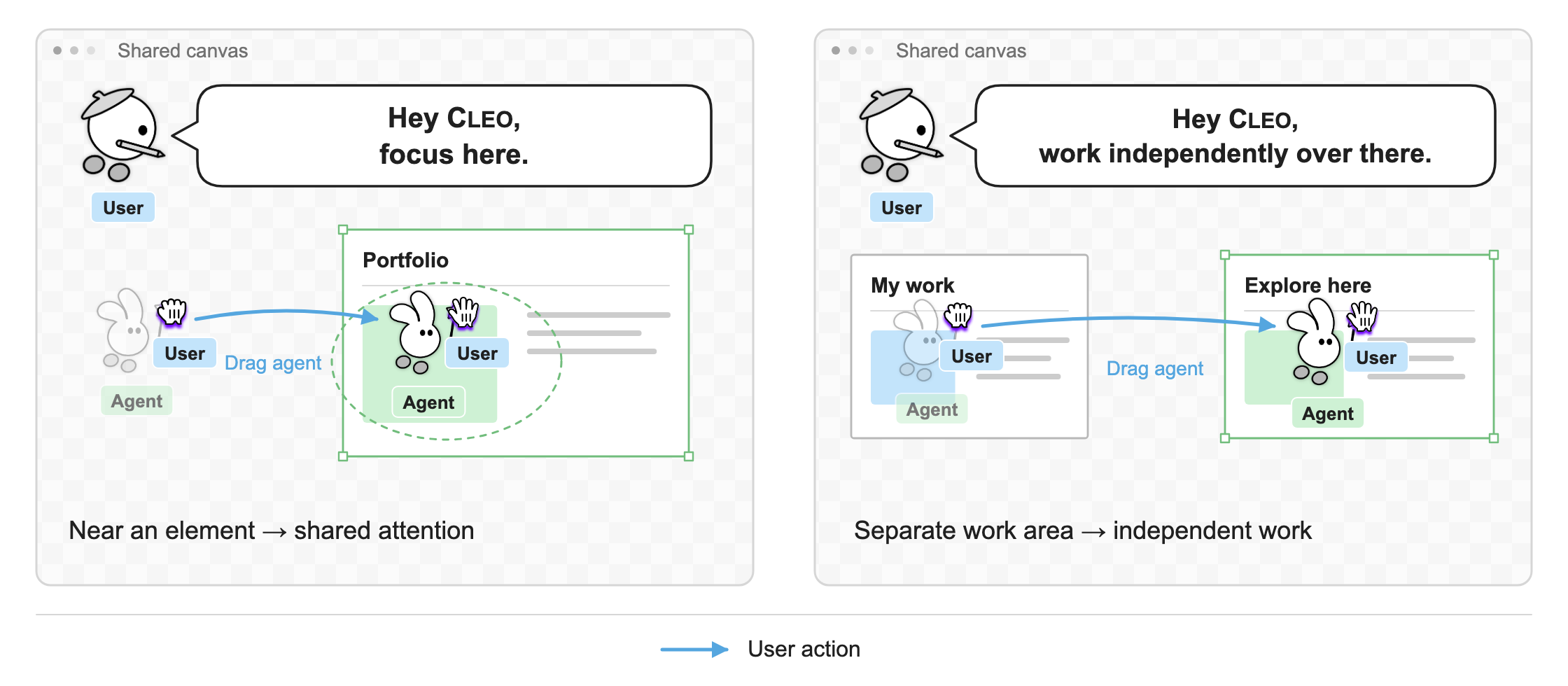
Use agent placement to coordinate work
Place CLEO in your work area to request shared attention, or move it elsewhere to request independent work.
CLEO is working on the layout with you.
Figure from the paper · DI4
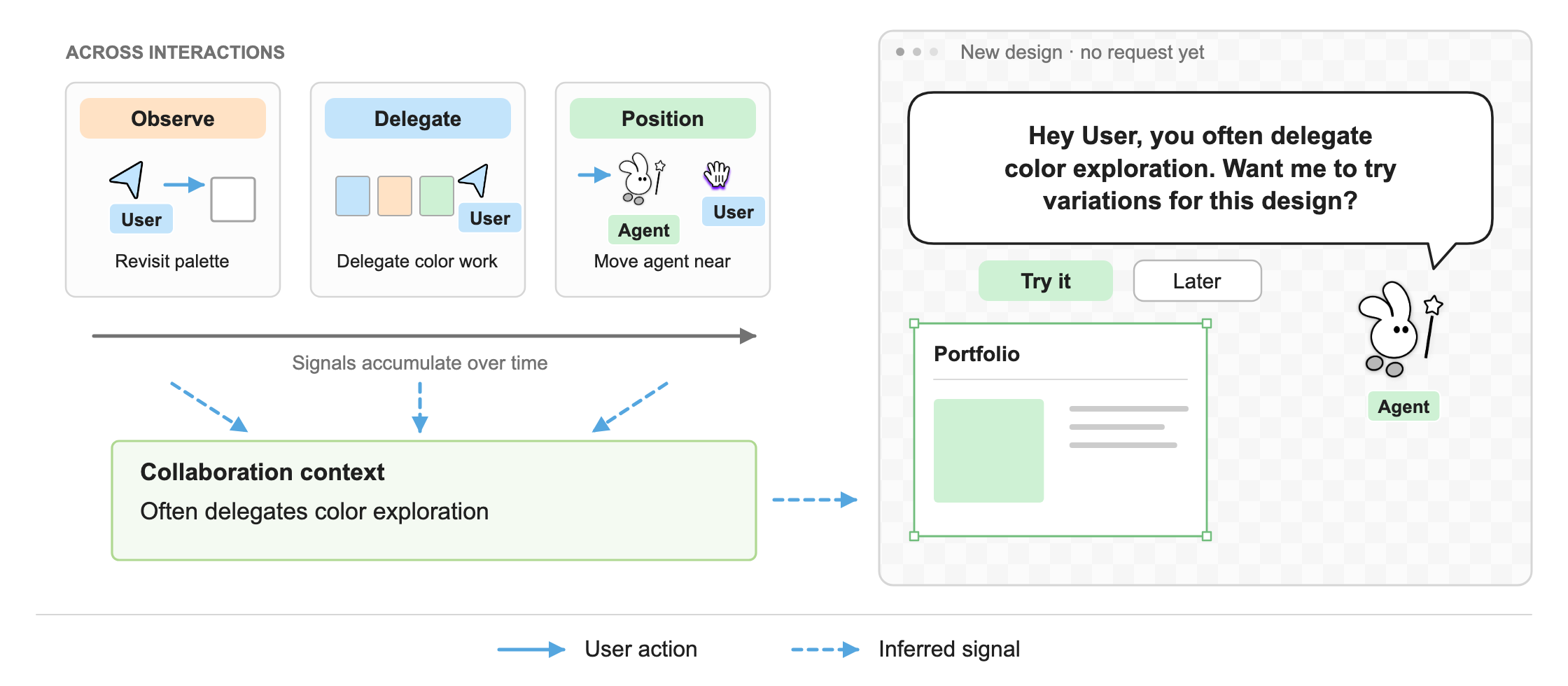
Use past interactions to inform offers of help
What a user has observed, delegated, or asked the agent to focus on could help it decide when to offer assistance. The user can accept the offer or leave it for later.
- 01Review a paletteReview earlier color options
- 02Delegate color workAsk CLEO for alternatives
- 03Position CLEO nearbyFocus on a new design
CLEOThe sequence above shows how previous work could inform an offer of help.
This sequence shows one way past interactions could inform an offer.
Figure from the paper · DI5
These findings come from an exploratory study with 12 designers over two days. We do not yet know how the patterns change with longer use, in other domains, or with different agent capabilities.
Study methods and further discussion are in the full paper.
BibTeX
@article{son2026when,
      title={"When to Hand Off, When to Work Together": Understanding Concurrent Human-Agent Interaction in Shared Co-Creative Workspaces},
      author={Kihoon Son and Hyewon Lee and DaEun Choi and Yoonsu Kim and Tae Soo Kim and Yoonjoo Lee and John Joon Young Chung and HyunJoon Jung and Juho Kim},
      year={2026},
      eprint={2603.02050},
      archivePrefix={arXiv},
      primaryClass={cs.HC}
}







This research was conducted at KIXLAB, KAIST.